
Our lives have become more. Digital Life: connected than ever. We use smartphones to talk to family and friends, social media to share our experiences, online banking to manage money, and websites and apps for work, education, shopping, and entertainment. Technology has made many everyday activities faster and easier, but it has also created new challenges. Staying connected is useful, but staying safe while using digital services is equally important.
A good digital life is not about avoiding technology. It is about learning how to use it wisely. Simple habits such as creating strong passwords, checking privacy settings, avoiding suspicious links, updating devices, and thinking before sharing information can make a big difference. At the same time, technology can help us maintain relationships, discover new opportunities, learn useful skills, and stay informed.
In this blog, we will explore easy and practical ways to stay safe and connected in your digital life. The goal is not to make technology complicated. Instead, these tips are designed to fit naturally into everyday life.
What Is a Digital Life?

A digital life refers to the way we use technology and the internet in our daily activities. It includes everything from sending messages and watching videos to using social media, making online payments, attending online classes, shopping, working remotely, and storing photos or documents online.
For many people, a smartphone is at the center of their digital life. One device can be used for communication, entertainment, education, banking, navigation, and much more. Because so much personal information is connected to our devices and online accounts, taking care of our digital presence has become an important part of modern life.
Having a healthy digital life means finding a balance between convenience, connection, privacy, and safety. Technology should make life easier rather than create unnecessary stress.
Why Staying Safe Online Matters
The internet gives us access to a huge amount of information and services, but not everything online is trustworthy. Scammers, fake websites, phishing messages, misleading advertisements, and hacked accounts can create serious problems for users.
Sometimes, online threats are easy to recognize. For example, a message may clearly ask for a password or bank details. Other times, a scam can look like a normal message from a delivery company, bank, social media platform, or even someone you know.
This is why online safety starts with awareness. Before clicking a link, downloading a file, sharing personal information, or making a payment, take a moment to think about whether the request is genuine.
Create Strong and Unique Passwords
Passwords are one of the simplest ways to protect online accounts. However, using the same easy password for every account can create a major security risk. If one account is compromised, other accounts using the same password may also become vulnerable.
A strong password should be difficult for others to guess. Instead of using simple information such as your name, birthday, or phone number, consider using a longer combination of words, numbers, and symbols. It is also better to use different passwords for important accounts.
If remembering many passwords becomes difficult, a trusted password manager can help you store them securely. You should also avoid sharing passwords with other people, especially through messages or social media.
Use Two-Factor Authentication
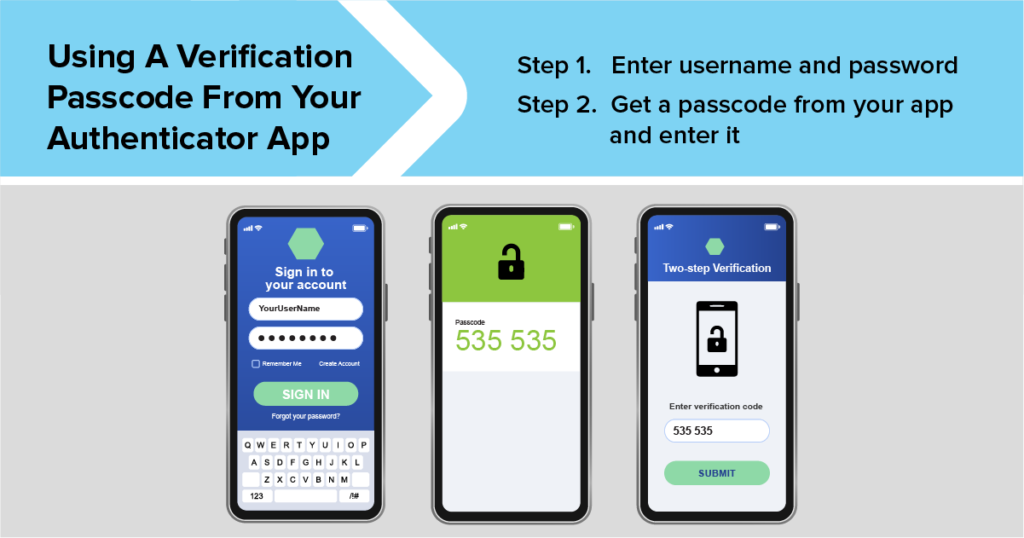
Two-factor authentication, often called 2FA, adds another layer of protection to an online account. Instead of relying only on a password, the account may ask for an additional verification step.
For example, after entering your password, you may need to enter a verification code or approve a login through another device. This can make it much harder for someone to access your account even if they somehow learn your password.
Whenever an important service offers a reliable two-factor authentication option, enabling it can be a smart step for improving account security.
Be Careful With Links and Messages
One of the easiest ways for scammers to reach people is through messages and links. You might receive a message saying that your account will be blocked, your parcel is waiting, or you have won a prize. The message may ask you to click a link or provide personal information.
Do not let urgency force you into making a quick decision. Take a moment to check the sender and the website address. If a message claims to come from a bank or another service, it is often safer to open the official app or website yourself rather than clicking the link in the message.
Remember that a professional-looking message is not automatically a genuine message.
Protect Your Personal Information
Personal information has value. Your full name, phone number, address, email address, photographs, identification details, and financial information should not be shared casually online.
Before posting something publicly, think about whether you would be comfortable with strangers seeing it. Information that seems harmless on its own can sometimes be combined with other information to create a more detailed picture of your identity.
Social media platforms also allow users to control who can see certain information. Reviewing privacy settings regularly can help you decide what you want to share publicly and what you want to keep private.
Keep Your Devices Updated
Software updates are not only about getting new features. They can also include important security improvements and bug fixes. When your phone, computer, browser, or apps are outdated, you may miss security protections that have been added by the developer.
Whenever possible, keep your operating system and important applications updated. You should also download apps from trusted sources and remove applications that you no longer use.
Keeping your digital devices updated is a simple habit that can improve both security and performance.
Use Secure Internet Connections
Public Wi-Fi can be convenient when you are in a café, hotel, airport, or other public place. However, you should be careful when using public networks for sensitive activities.
Avoid entering highly sensitive information on an unfamiliar network unless you know the connection is secure. When possible, use your mobile data or a trusted network for important transactions.
You should also make sure your home Wi-Fi network has a strong password and updated security settings. A secure home network can help protect the devices connected to it.
Be Smart on Social Media
Social media is one of the best ways to stay connected with people. You can share photos, talk to friends, discover new ideas, and follow topics you enjoy. However, social media also requires careful use.
Avoid accepting every friend or follow request, especially from people you do not know. Be careful about sharing your location, travel plans, personal documents, or other private details publicly.
It is also useful to remember that things posted online can sometimes remain accessible even after you delete them. Before posting, ask yourself whether the content could cause a problem later.
Watch Out for Fake Profiles and Scams
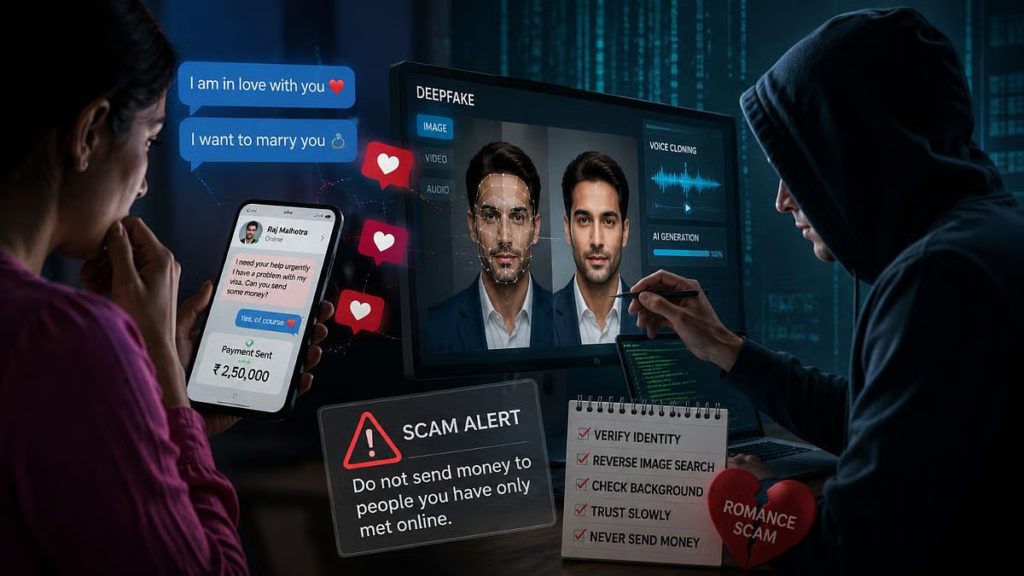
Fake profiles can appear on social media, messaging platforms, and even professional networks. Someone may pretend to be a friend, celebrity, company representative, or potential business contact.
If a person suddenly asks for money, passwords, verification codes, or sensitive information, stop and verify their identity through another trusted method. If the request seems unusual, it is better to be cautious than to respond immediately.
Never share one-time passwords or security codes with someone who asks for them. Legitimate services generally do not need you to give such codes to another person over a call or message.
Stay Connected With People Who Matter
Digital safety is important, but the positive side of technology should not be forgotten. Digital tools make it easier to stay connected with family and friends, even when people live far away.
Messaging apps, video calls, social networks, and email can help maintain relationships. A quick message or video call can make someone feel remembered and supported.
However, digital communication works best when it adds to real relationships rather than completely replacing them. Make time for conversations, family activities, and face-to-face interactions whenever possible.
Use Technology for Learning

Your digital life can also be a powerful learning opportunity. The internet provides access to educational videos, online courses, articles, digital books, tutorials, and communities where people share knowledge.
You can use technology to learn a language, improve professional skills, understand a new subject, or explore a hobby. The key is to choose reliable sources and avoid believing every piece of information you see online.
When you find important information, compare it with trustworthy sources before accepting it as fact.
Think Before Downloading Apps
Apps can make everyday tasks easier, but you should be careful about what you install. Before downloading an app, check its developer, reviews, permissions, and reputation.
Be cautious if an app asks for access to information that does not seem necessary for its purpose. For example, a simple application may not need access to every part of your personal data.
Removing apps you no longer use can also reduce unnecessary access to your information and free up storage on your device.
Make Online Shopping Safer
Online shopping has become a normal part of digital life. You can buy clothes, electronics, groceries, beauty products, and many other things without leaving home.
Before making a purchase, check the website carefully. Look for secure payment methods, clear return policies, genuine customer reviews, and reliable contact information. Be especially cautious of deals that appear unrealistically cheap.
Avoid making payments through suspicious links or sending money directly to unknown individuals simply because they promise a large discount.
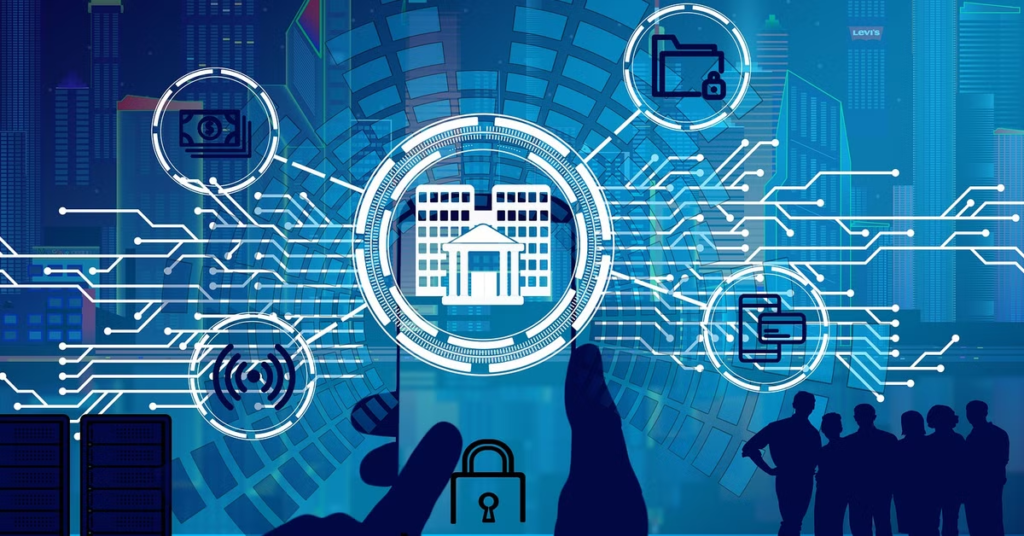
Online banking and digital payments offer great convenience, but financial accounts require extra care. Never share your banking password, PIN, card details, or one-time verification codes with anyone.
Check transaction notifications and account statements regularly. If you notice an unfamiliar transaction, contact your bank through an official channel as soon as possible.
When using banking apps, make sure your phone is protected with a secure screen lock. Avoid conducting sensitive financial activities on devices that you do not trust.
Manage Your Screen Time

Being connected does not mean being online all the time. Spending too much time on social media, games, videos, or constant notifications can make it difficult to focus on work, study, sleep, and personal relationships.
Try creating small periods during the day when you put your phone away. You can also turn off unnecessary notifications so that your attention is not constantly interrupted.
A healthy digital life includes knowing when to disconnect.
Think Before You Share Information
One of the most useful digital habits is simply stopping for a few seconds before sharing something. Ask yourself what you are sharing, who will receive it, and why they need it.
This is especially important when someone asks for personal documents, financial information, passwords, or verification codes. If you are unsure, do not rush. Verify the request through an official source.
A few seconds of careful thinking can prevent a lot of trouble.
Keep a Backup of Important Data
Photos, documents, contacts, and other digital files can be lost because of device damage, accidental deletion, theft, or technical problems.
Keeping backups of important information can make recovery much easier. You can use a trusted cloud service, an external storage device, or another secure backup method.
Important documents should be stored carefully and protected with appropriate security measures.
Build Good Digital Habits

Online safety is not something you do once and forget. It is a collection of small habits that you practice regularly.
Use strong passwords, enable extra security features, keep your devices updated, check links before clicking, protect your personal information, and review your privacy settings from time to time.
At the same time, use technology positively. Stay connected with people you care about, learn new things, explore useful opportunities, and take breaks when you need them.
Use strong passwords, enable two-factor authentication, avoid suspicious links, protect personal information, and keep your devices updated.
FAQ’S
1. What is digital life?
Digital life means using smartphones, computers, the internet, apps, and social media in our daily lives.
2. How can I stay safe online?
Use strong passwords, enable two-factor authentication, avoid suspicious links, and never share sensitive information with unknown people.
3. How can I protect my personal information online?
Avoid sharing passwords, bank details, OTPs, personal documents, and other sensitive information on unsafe websites or with unknown people.
4. How can I stay safe on social media?
Use privacy settings, avoid sharing too much personal information, and be careful with unknown accounts and suspicious messages.
5. Why are strong passwords important?
Strong and unique passwords help protect your online accounts from unauthorized access.